Mastering Your Payroll: A Guide to Calculating Hours and Overtime
Accurately tracking and calculating payroll hours is the backbone of any successful business and a critical skill for employees monitoring their pay. Whether you are a small business owner juggling multiple hats or an employee ensuring you are compensated fairly for every minute worked, understanding how to sum hours and calculate overtime is essential. Our Payroll Hours Calculator simplifies this process, allowing you to input daily hours, set your hourly rate, and automatically determine your gross pay, including overtime premiums.
In the United States, payroll calculations are governed by strict regulations, primarily the Fair Labor Standards Act (FLSA). Mistakes in calculating hours—especially overtime—can lead to underpayment, low morale, and even costly legal disputes (class-action lawsuits for unpaid overtime are among the most common employment litigation types). This guide will walk you through the nuances of payroll calculation, from understanding the difference between regular and overtime hours to navigating the math behind your paycheck.
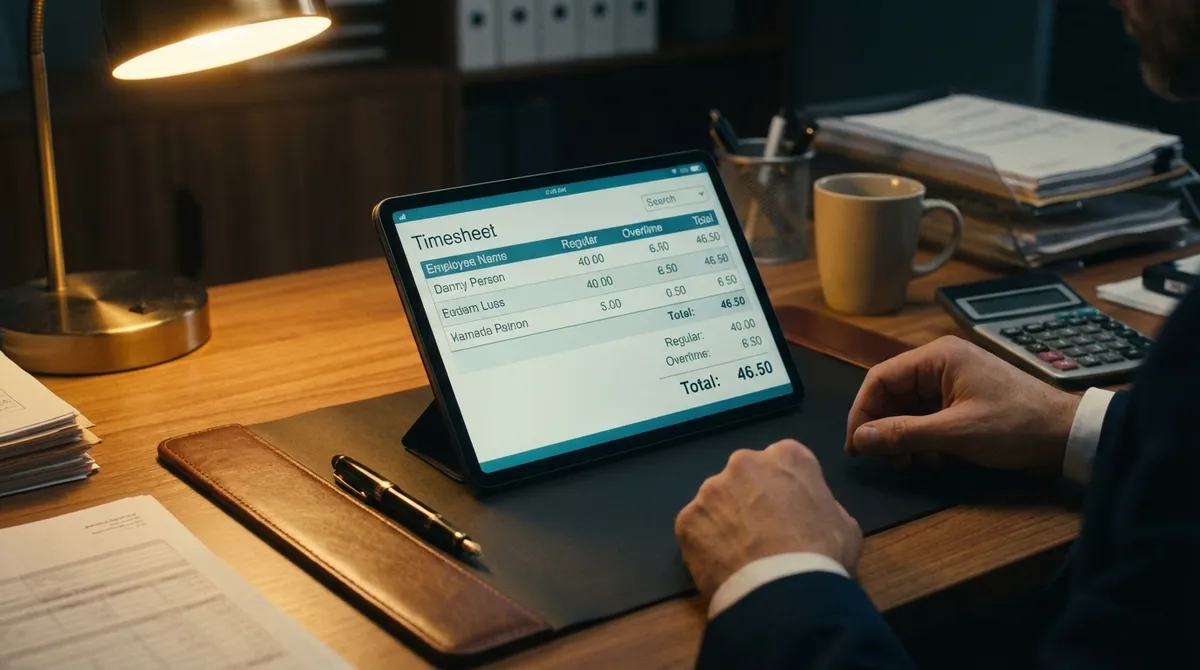
How to Use the Payroll Hours Calculator
We designed this calculator to be as intuitive as possible, removing the need for manual timesheet math. Here is a step-by-step guide to getting the most out of it:
- Set Your Hourly Rate: Enter your current hourly wage in the "Hourly Pay Rate" field. This is the base rate for your regular hours. If you are looking to see how this translates to an annual salary, check out our Salary Calculator.
- Verify Overtime Multiplier: The default is set to 1.5x, which is the federal standard for "time and a half." If your company pays double time (2.0x) for holidays or specific situations, you can adjust this value.
- Input Daily Hours: Enter the number of hours worked for each day of the week (Monday through Sunday). You can use decimals for partial hours (e.g., 8.5 for 8 hours and 30 minutes). Converting minutes to decimals is simple: divide minutes by 60 (e.g., 15 mins / 60 = .25).
- Calculate: Click the "Calculate Pay" button. The tool will instantly sum your hours, separate them into regular and overtime categories based on a 40-hour workweek, and display your estimated gross pay.
Understanding Regular vs. Overtime Hours
The distinction between regular and overtime hours is defined by the Fair Labor Standards Act (FLSA). Understanding these rules is crucial for accurate payroll.
The 40-Hour Rule (Federal Standard)
Under federal law, non-exempt employees must receive overtime pay for hours worked in excess of 40 hours in a workweek. A workweek is defined as a fixed and regularly recurring period of 168 hours (seven consecutive 24-hour periods). It does not necessarily coincide with the calendar week, but once established, it remains constant.
- Regular Hours: The first 40 hours worked in a single workweek. These are paid at your standard hourly rate.
- Overtime Hours: Any hours worked beyond 40 in that same workweek. These must be paid at a rate of at least 1.5 times the regular rate of pay (time and a half).
Example: If an employee earns $20/hour and works 48 hours in a week:
- • Regular pay: 40 hours x $20 = $800
- • Overtime rate: $20 x 1.5 = $30/hour
- • Overtime pay: 8 hours x $30 = $240
- • Total Gross Pay: $1,040
Daily Overtime Rules (State Specific)
While federal law focuses on the weekly total, some states have their own overtime laws that supersede federal regulations if they are more beneficial to the employee. These "daily overtime" states require employers to pay overtime for hours worked in excess of a daily limit, regardless of the weekly total.
- California: Requires overtime pay (1.5x) for hours worked over 8 in a single workday, and double time (2.0x) for hours worked over 12 in a single workday. Additionally, the first 8 hours worked on the seventh consecutive day of work in a workweek must be paid at 1.5x.
- Alaska: Requires overtime pay for hours worked over 8 in a single day or 40 in a week.
- Nevada: Requires overtime for hours over 8 in a workday if the employee earns less than 1.5 times the minimum wage.
- Colorado: Requires overtime for hours worked over 12 in a workday or 12 consecutive hours, in addition to the weekly 40-hour rule.
Note: This calculator primarily uses the federal weekly standard (40 hours). If you are in a state with daily overtime laws, you may need to calculate daily overtime separately or ensure your inputs reflect the specific rules of your jurisdiction.
Common Payroll Calculation Mistakes
Even with automated tools, errors can happen if the underlying data is incorrect. Here are common pitfalls to avoid:
1. Misclassifying Employees
Not everyone is entitled to overtime. Employees are generally classified as "exempt" or "non-exempt."
- Exempt Employees: Often salaried professionals, executives, or administrators who meet specific duty and salary basis tests. They are paid a flat salary regardless of hours worked and are not eligible for overtime pay.
- Non-Exempt Employees: Employees who are paid hourly or earn a salary below the FLSA threshold. They must be paid overtime for all hours over 40.
Misclassifying a non-exempt employee as exempt is a frequent source of wage theft lawsuits. If you are unsure about your take-home pay as a salaried employee, use our Hourly Paycheck Calculator for a comparison.
2. Improper Rounding of Hours
The FLSA allows employers to round employee time to the nearest quarter-hour (15 minutes). However, this practice must be neutral. You cannot always round down to save money; you must also round up when appropriate. For example:
- Clocking in at 8:07 AM rounds to 8:00 AM (Employee favored/Neutral).
- Clocking in at 8:08 AM rounds to 8:15 AM (Employer favored/Neutral).
Consistently rounding in the employer's favor ("shaving time") is illegal. The safest bet is to track time to the minute.
3. Forgetting Bonuses in Regular Rate
When calculating the overtime rate, the "regular rate" isn't just the hourly wage. It must include non-discretionary bonuses, commissions, and shift differentials. If an employee earns a performance bonus that week, it increases their regular rate, which in turn increases their overtime rate. To see how bonuses affect your taxes, try our Bonus Tax Calculator.
4. Weighted Average Overtime
If an employee works two different jobs at different rates for the same employer (e.g., a server who also works as a host), calculating overtime becomes more complex. You must use the "weighted average" method.
- Calculate total straight-time earnings for all hours worked at both rates.
- Divide total earnings by total hours worked to find the weighted average regular rate.
- Calculate the overtime premium (0.5 x weighted average rate) for each overtime hour.
- Add the premium to the straight-time earnings.
Record-Keeping Requirements
The FLSA requires employers to keep records for non-exempt employees. This is not just good practice; it's the law. Records must include:
- Employee's full name and social security number.
- Address, including zip code.
- Birth date, if younger than 19.
- Sex and occupation.
- Time and day of week when employee's workweek begins.
- Hours worked each day.
- Total hours worked each workweek.
- Basis on which employee's wages are paid (e.g., "$9 per hour", "$440 a week", "piecework").
- Regular hourly pay rate.
- Total daily or weekly straight-time earnings.
- Total overtime earnings for the workweek.
- All additions to or deductions from the employee's wages.
- Total wages paid each pay period.
- Date of payment and the pay period covered by the payment.
Records must be kept for at least three years. Time cards and other records on which wage computations are based must be kept for two years.
Pro Tips for Accurate Timekeeping
To ensure your payroll is always accurate, consider these best practices:
- Use Digital Timekeeping: Manual timesheets are prone to human error and illegible handwriting. Digital systems provide precise timestamps.
- Review Weekly: Don't wait until the end of the pay period to review hours. Check them weekly to catch missing punches or anomalies early.
- Communicate Policies: Ensure all employees understand the company's overtime policy, including approval processes and reporting requirements.
Frequently Asked Questions
Accurate payroll starts with accurate data. Use this calculator to eliminate the guesswork and ensure every hour is accounted for.